Showing posts with label Math. Show all posts

Friday, October 24, 2014

Power My Learing


Looking for a one-stop website to gather ideas for lessons, find videos, locate activities and games for students, and so much more...and it be linked to Common Core?  Check out PowerMyLearning!  This site lets you search by grade level and by subject.  Once you choose the subject you can go deeper by searching specific domains for activities, videos, tutorials and so much more.  You must create an account but it is FREE!!!  You can even set up your own classroom, make assignments, create your own activities and monitor progress on assignments.  There are also ways to access these resources as parents and students.  Thanks to Shasta McFry at Ohatchee Elementary for sharing this link with me! Check it out ... http://powermylearning.org/


Thursday, October 16, 2014

KidRex


Do you worry about turning student loose to search for information on the web?  KidRex my be your answer...this kid-friendly search engine  provides a safe kid zone for web searches.  Since this is powered by Google, kids will be given a list of kid-appropriate sites to aid them in research.  Check out the site at ... http://www.kidrex.org/

What happens if they search something inappropriate?  They get an Oops! Try Again notice!

PortaPortal


PortaPortal is a free bookmarking site that allows you to give students s protected access to a list of websites or links you have selected.  Students and parents may be given a guest login so that they can access the links from home.  This guest access allows them to access the links without having access to alter or add information to your site.  You can create tabs or subject headings to organize your links.   Check it out at ... http://portaportal.com/

Sign up for this free bookmarking tool!

Organize your links for parents and students to easily access by subject or skill.

Math Landing

Math Landing is a K-5 digital resource tool for math teachers that offers both Professional Development tools as well as Classroom tools to help you understand and meet math standards.  This is aligned to Common Core standards.  It is a free resource.  You may choose to use this tool without registering for it; however, if you want to save your searches, you will need to create an account.  Check it out at... http://www.mathlanding.org/

Use the resource or create a login to save future searches.

Search the PD tool for help with understanding, teaching and applying standards.


Use the Classroom tool to find activities and more.

Graphite by Common Sense Media


Graphite helps teachers find apps, games and websites that have been rated by teachers for learning purposes.  Teachers can search by type, subject, grade and price.  Teachers can also search specifically for  Common Core resources/apps/tools in English/Language Arts or Mathematics.  Check it out at ... https://www.graphite.org/


Explore apps rated by teachers.
Find more resource based upon Common Core Standards.

Socrative 2.0


Socrative upgraded to Socrative 2.0 on July 12, 2014.  All previous accounts in Socrative were updated to Socrative 2.0

Want to find out about the new features in Socrative 2.0? Check out http://www.socrative.com/materials/SocrativeUserGuide.pdf

Today's Meet


Today's Meet is an online journaling/discussing board where students can answer questions, make comments, ask questions and so much more.  Teachers can monitor questions directly in the chat and monitor "backroom" chats that take place. 

Here are some quick reminders from Dr. Knighton when using this app...consider making your Room Name unique and double check the room prior to giving it to students to make sure no previous information for another session is there.  Check it out at ... https://todaysmeet.com/


See students thoughts as they share.

The Answer Pad


The Answer Pad is an online tool for formative and summative assessments.  Teachers may engage students through quick response feedback opportunities or create quizzes to assess knowledge.  Teachers can generate reports to review student performance.  Check it out at ... http://theanswerpad.com/ 
Website view

The teacher dashboard is always web-based.

TapIt is the student app students can use to respond.
 
Student answer formats

KidBlog


KidBlog is a free and simple way for your students to share thoughts and ideas collaboratively!  You, as the teacher, are in control of topics, blogs and logins.  Students may access the blogs online and through mobile devices. The possibilities are endless for how you could use this tool...enhance your writing standards through collaborative discussions, answer questions of the day, share thoughts from lit circles, and so much more.  What could you blog with your students today?  Check it out... http://kidblog.org/home/


Thursday, November 21, 2013

Math Duel


Math Duel is a one-on-one challenge that allows students to compete head-to-head in math problems.  The key to winning is accuracy AND speed.  There is a bar that divides the screen which resembles a tug-of-war challenge showing who is winning. 


Students may choose the operation they wish to use.  You can even have one student using multiplication problems while the other uses addition problems.  This is a great tool to increase math fluency and build number sense. 

 
When I purchase the app, it was free; however, currently it is listed as $2.99 for the app.  It is available through the Apple App Store and also available in the Android market.  Let the challenge begin...

Wednesday, October 9, 2013

Common Core Library


This is an app that is helpful in helping to understand the common core standards...and it's free right now!  The first component of this app is the Common Core Library.  This is a bank of all common core standards by grade level.  Go into the library and select your grade level to explore common core standards.  Remember, Alabama uses a different numbering system for it's COS so look carefully for your standards and how they match up with the national common core standards. 

Select your appropriate grade level.
 
Choose your strand or skill to discover standards.
See the standards.
 
WAGmob (creater of this app) also has several other apps that are reasonably priced (most are $1.99) that offer common core review and example questions for the standards. 


Apps for Common Core


Looking for apps that will reinforce and practice some of your common core standards?  This app is designed to link you with apps which specifically meet common core standards.  You may choose apps for Mathematics or Language Arts.  You may also choose specific grade levels Kindergarten through Grade 12.  The common core standards are show in the national common core format so in looking the numbers will not line up with the Alabama COS/CCSS numbers.  You may also suggest apps that you find which align with the standards...happy apping!

Tuesday, April 9, 2013

Fill 'Em Up...10 Frame Fill!


10 Frame Fill is a free app that our kindergarteners love to use.  Teachers have discovered this app as a useful tool to help students in learning to make sets of ten.  This critical skill introduced in kindergarten is foundational for students in addition and subtraction, as well as developing number sense! 


Students fill in with yellow chips to make a set of 10.


As the teacher, you may choose for students to answer questions with dots presented sequentially or randomly.  You may also limit the students have to respond.  Teachers may also select to show the problems in the additive family to help students recognize written equations.


Several options allow teachers to customize the app to meet their needs.
 
Thank you, kindergarten, for sharing this app and how you use it with us!

~Kindergarten, WPES


Monday, April 8, 2013

Oh No Fractions!


This is a really cool app for those who may be comparing fractions...and it is FREE.  Oh No! Fractions give two fractions and asks students to choose whether one fraction is Less than or Greater than another given fraction.


To select the answer, students slide the words LESS or GREATER to make the statement true.  Should a student be unsure, they can choose to PEEK at two fractions bars.  This gives them a visual representation to help in determining the correct answer. 


Once they select the "I'm Sure" option, students may see the fractions bars again through the PROVE IT option.  The app will tract the number correct as well as the number of times a student uses the peek and prove it options. 
 

Thursday, March 21, 2013

It All Makes Cents!

Looking for apps about money?  Check out these apps...


Bills & Coins
This is an iPhone app that allows students to work through activities where they count money, show various amounts of money, make change, and match equivalent amounts.  You may choose coin only options or coin and bill combinations.  This is a free app that gives good practice with various monetary skills.


************************************************************************


Counting Coins
This is another iPhone app that allows students to work through activities where they math the values, make the total amount, and tell the amount shown in coins.  This free app allows students to practice many of our common core standards in math which relate to money.


Monday, March 18, 2013

Socrative & Question of the Day


Shout out to third graders who are discovering how to use Socrative to answer the Question of the Day!  Students are using classroom devices as well as bringing their own devices to answer a daily question posed by the teacher.  This is a simple way to incorporate devices into a daily lesson while engaging our students.  On days when a student doesn't have a device or when students have technical issues with their device, students may borrow a school device or use the classroom computers to respond.  This allows teachers to immediately review student responses and provide instant feedback to the class.


Thursday, February 21, 2013

MyScript Calculator

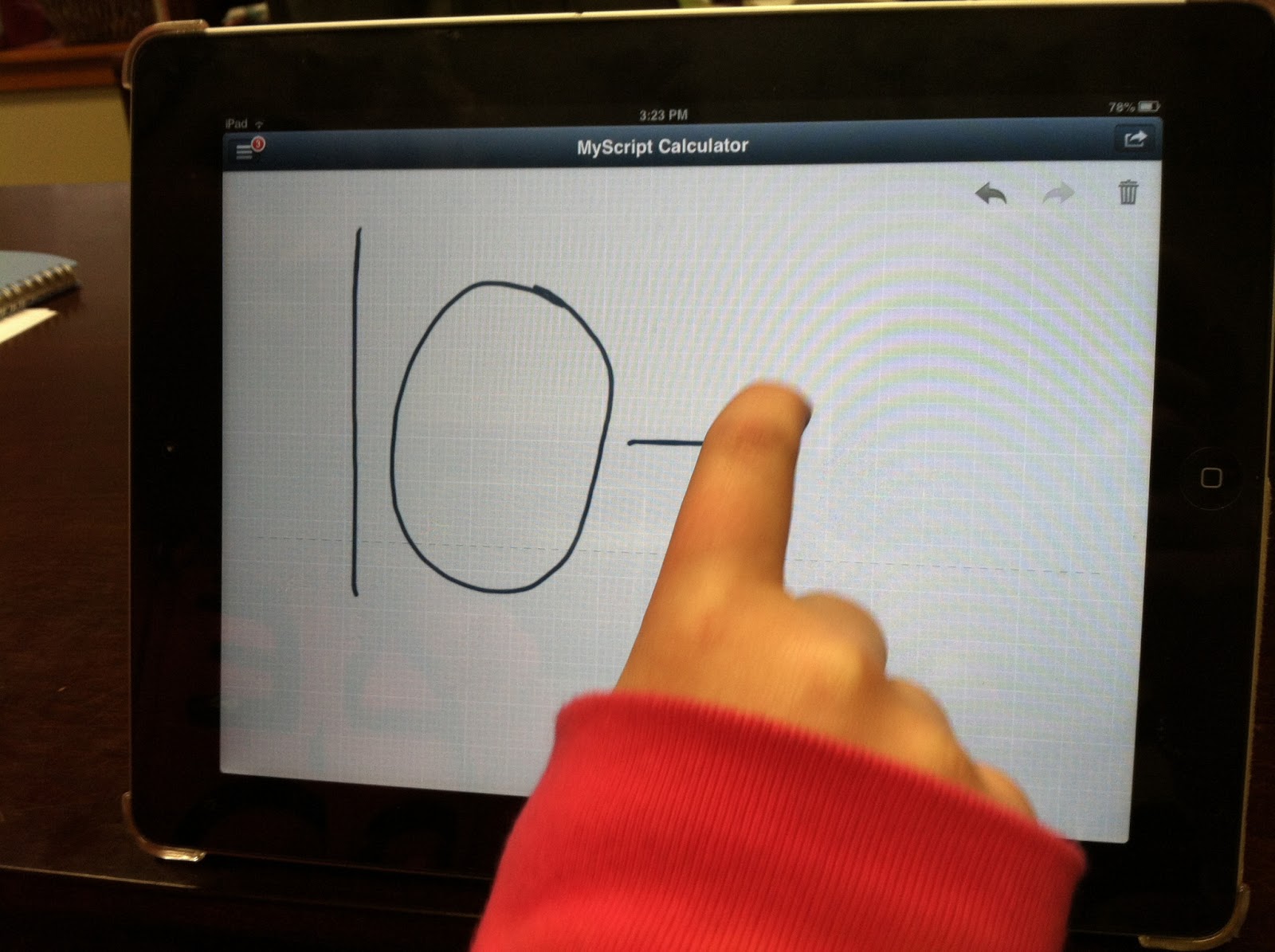
 MyScript Calculator converts your scripted mathematical problem into an on-screen solution.  This app is available in iTunes and in the Android market....and it's FREE!!! Students write their problem on the device.


This app works for almost all problems except algebraic expressions. Students can race to see if they can solve the problem BEFORE the answer appears on the screen.